FACTS Family App
- 3.9
- Rating
- 100.00K
- Installs
- Free
- Price

 Analysis by App-foxy
Keeping up with school life often means following several moving parts at once: messages, announcements, schedules, forms, and reminders can arrive at different times and through different channels. FACTS Family App is designed to bring that connection into one education-focused mobile app. I found its main appeal less in flashy tools and more in reducing the number of places a parent or student has to check.
The app is developed by FACTS Management and is free to download, with optional in-app purchases priced at $4.99 per item. It is rated for Everyone, so its intended audience is broad, although the usefulness of the experience depends heavily on how a particular school uses the FACTS ecosystem. That point matters: this is not a general school organizer that works independently for every family. Its value comes from being connected to the school’s own communication and administrative setup.
How the app feels when school information is moving
In everyday use, the most important moments are the ones when information changes. A school notice may arrive while I am away from a computer, a schedule detail may need checking before leaving home, or a family member may need a quick answer about something school-related. The app makes those situations feel more manageable because the phone becomes the first place to look rather than merely another optional channel.
You May Also Like

 Blood Strike: 2.5 Anniversary
Blood Strike’s Loadouts Turn Every Drop Into a Tactical Gamble
A close look at Blood Strike’s custom loadouts: how fast access to signature weapons reshapes its battle royale rhythm, rewards preparation, and narrows the gap between fights.

 Pandora - Music & Podcasts
Pandora’s Music Is Easy to Start, but Harder to Recover
Pandora’s strength is its low-effort path from a seed to a station. Its weak spot is how much confidence it asks you to place in connection, setup, and quiet recovery.

 8 Ball Pool
 Is Built on Rivalries, Rematches, and Routine
A close look at the rivalries, rematches, shared routines, and unanswered safety questions that turn a quick pool match into a persistent mobile community.

 Samsung Music
’s Quiet Strength Is Playing What You Already Own
Its reach comes less from spectacle than from dependable access to a personal library. That simplicity is both the app’s strongest retention engine and its ceiling.

 AccuWeather: Weather Radar
AccuWeather Review: A Quick, Clear Forecast for Everyday Decisions
For everyday plans, the best forecast is the one you can understand quickly. AccuWeather makes rain timing, radar, and local conditions easy to act on, with a few trade-offs.

 Hill Climb Racing
Why Hill Climb Racing Still Turns Crashes Into One More Run
A tiny car, a bumpy hill and one more upgrade: Hill Climb Racing keeps resurfacing because its simple chaos makes every near-miss feel personal.
More From Our News Desk



That convenience is also the central trade-off. The app is built around staying connected, so the experience depends on current information being available through the school’s system and on the phone being able to reach it. I would not treat it as a standalone notebook or a replacement for every school process. Instead, I see it as a mobile access point for the information and interactions that the participating school chooses to provide.
When the connection works, the benefit is practical. I can check school-related information during a short gap in the day instead of waiting until I have access to a desktop. That is especially useful for parents who are coordinating work, transport, meals, appointments, and more than one child. A school app does not remove those responsibilities, but reducing the time spent searching for the latest message can make the routine less tiring.
The app is most useful when it becomes a dependable first check, not when it is treated as the only possible source of truth. I still recommend paying attention to the school’s established communication habits. If an urgent matter is normally handled by a phone call or another channel, the app should complement that process rather than replace it.
What happens in a realistic family routine
Imagine a parent leaving work and needing to confirm a school detail before collecting a child. Opening the app on a phone is more practical than finding a laptop, signing into a browser, and searching through several pages. If the relevant information has been posted and the connection is available, the app can turn that check into a quick part of the journey rather than a separate task at home.
The same pattern works for a student who wants to review school information between activities. A mobile interface is naturally better suited to brief checks than to long periods of reading or administration. I would use it for those short moments: checking what has changed, confirming a detail, and then putting the phone away.
There is a subtle organizational advantage here. A family can make the app part of a repeatable routine, such as checking it after school or before the next morning begins. That is more reliable than opening it only when someone remembers that a message might exist. The app does not create discipline automatically, but its presence on a phone makes a regular habit easier to establish.
For families with several people sharing responsibility, the main question is not simply whether the app is installed. It is whether everyone knows who is expected to check it and when. Without that agreement, information can still be missed even when the app is working perfectly. I would set a simple household rule rather than assuming notifications or occasional browsing will solve the problem on their own.
Using it away from a desk
The mobile context is where this app makes the strongest case for itself. A parent may be standing in a pickup line, sitting on public transport, or moving between work appointments. Those are not ideal conditions for managing a full school portal, but they are reasonable moments for a quick glance at a focused app.
I also appreciate that mobile access changes who can participate. A family member who does not regularly sit at a computer may still be comfortable checking a phone. That can make school communication feel less centralized around one person in the household. The practical result is not just convenience; it can make responsibility easier to share.
At the same time, a phone is not always the best screen. If a task involves lengthy reading, careful form completion, or comparing many details, I would prefer a larger display or the school’s browser-based alternative when one is available. The app’s strength is quick access and timely checking, not necessarily extended administrative work.
That distinction helps avoid a common disappointment. Someone downloading it expecting a complete replacement for a school website may find the phone format restrictive. Someone wanting a convenient way to stay aware of school activity is more likely to appreciate it. I judge it as a companion for school communication rather than a universal workspace.
Connectivity is part of the experience
Because the app’s purpose is to connect families with school information, network conditions can shape how reassuring it feels. In a strong connection, checking for updates is straightforward. In a weak or interrupted connection, the uncertainty is more frustrating because the user may not know whether information has not changed or whether the app has not successfully reached the service.
This is particularly important during travel and busy transitions. A parent may open the app while moving through an area with unreliable reception, or a student may try to check something in a building where the signal is poor. I would avoid making a critical decision based on a screen that has not clearly refreshed. If the information matters immediately, I would try again when connected or use the school’s established backup contact method.
That is not a criticism unique to this product, but it is more noticeable here because connectivity is central to the reason for using it. A paper calendar or a saved screenshot can still show previously known information, while a connected app is expected to provide the latest version. The trade-off is freshness versus dependence on access.
My practical advice is to check important details before leaving a reliable connection, especially when they affect transport or timing. I would also avoid assuming that having the app installed means the newest information is already visible. Opening it and confirming that the relevant page or message has loaded is a better habit than relying on memory.
When something goes wrong
Failure and recovery are where I become more cautious. A connection can drop, a session can expire, or a school message may not appear at the moment a family expects it. The right response is to separate three possibilities: the phone cannot connect, the app needs another attempt, or the school has not published the information yet.
That simple distinction prevents unnecessary panic. I would first check whether other internet-based services are working, then retry the app rather than repeatedly tapping the same control. If the problem appears limited to school information, I would wait briefly and check again. For urgent matters, contacting the school directly is more sensible than treating a temporary app problem as proof that no information exists.
Families should also think about recovery before they need it. Keeping the school’s main contact details accessible elsewhere is useful, as is knowing which information is important enough to confirm in advance. The app can streamline normal communication, but resilience comes from having a second route when timing matters.
Another useful habit is to avoid deleting and reinstalling the app as a first reaction. That can create more work, especially if account access or setup details are needed again. I would begin with a connection check and a fresh attempt, then follow the school or app’s normal support process if the issue continues. This is less dramatic, but usually more efficient.
These limitations do not make the app unsuitable. They simply mean that I would not build a family’s entire emergency plan around any connected school portal. The app is a convenient channel for routine access; it is not a substitute for direct communication when a child’s immediate safety, pickup, or attendance is involved.
Using it without wasting mobile data
For people managing a limited mobile plan, the sensible approach is to use the app deliberately rather than opening it repeatedly throughout the day. School information is usually most valuable at specific points in the routine, so a morning check and an afternoon check may be more practical than constant refreshing. This also reduces distraction.
When I am on a dependable Wi-Fi connection, I prefer to review non-urgent information there. I would still use mobile data when necessary, but I would reserve it for the moments when the information genuinely affects what I am doing. A family can make this easier by agreeing on which updates require immediate attention and which can wait until someone is home.
There is also a privacy-conscious benefit to limiting unnecessary checking in public places. Looking at school information on a crowded train or in a busy hallway can expose details to people nearby. A quick glance is sometimes unavoidable, but I would avoid leaving sensitive screens open or handing the phone around casually. The app’s convenience should not remove ordinary care with family information.
Another trade-off concerns notifications and attention. If the device offers notification controls, I would tune them to avoid turning every school update into an interruption, while keeping genuinely important communication visible. I would rather create a calm checking routine than allow the phone to dictate every moment. The best setup depends on how frequently the school communicates and how much information each household needs to see immediately.
Who will get the most from it
I think the app is a good fit for parents and students whose school actively uses FACTS Management services and expects families to stay informed through that environment. It is particularly useful for households that need mobile access during commutes, work breaks, or pickup routines. The free entry point also makes it easy to try without committing to a purchase, while the optional $4.99 items mean families should pay attention before approving anything beyond the basic app experience.
It can also suit families that want to share school awareness rather than leave one person responsible for checking a desktop portal. A second adult can use the same general mobile approach during a different schedule, making coordination less dependent on one parent being available.
I would be more hesitant to recommend it to someone whose school rarely communicates through the FACTS system. In that situation, installation alone will not create useful content. I would also point heavy administrative users toward a full web portal or direct school process if they need to handle long forms, detailed records, or extensive document work. The phone app is better for staying informed than for replacing every school-office interaction.
Students who dislike checking school communication may not gain much simply by having another icon on the screen. The app helps most when it supports a routine and when the school’s updates are timely and relevant. If a family already has a reliable, well-organized method that covers the same information with less friction, the change may not feel worthwhile.
How it compares with familiar alternatives
The usual alternative is a school website opened in a mobile browser. A browser can be more flexible and may be better for larger pages or detailed tasks, but it can also require more navigation each time. The dedicated app feels more immediate for repeated checks, especially when a family wants school information to sit alongside other everyday phone routines.
Email is another common comparison. Email is useful for keeping a written trail and for searching older messages, but school information can become buried among work, shopping, and personal correspondence. A dedicated school app gives the communication a clearer home. On the other hand, email can remain useful as a backup because it does not depend on remembering to open one particular app.
Paper calendars and printed notices still have a place. They are easy to consult without a connection and can be excellent for stable dates that the family has already recorded. Their weakness is that they do not automatically reflect changes. I would use paper or a personal calendar for confirmed plans, while treating the app as the place to check for newer school information.
General messaging apps may feel faster for urgent conversations, but they can blur personal and school communication. The FACTS Family App is more appropriate for school-related access when the institution has chosen it as part of its communication structure. A general messenger may be better for a direct conversation with a known person; this app is better when the goal is to follow the school’s organized flow.
What the version and audience tell me
The current Android version is 60.7.0, and the app supports devices running Android 7.0 or later. That makes it accessible to many older Android phones, which is useful for families that do not replace devices frequently. I would still keep the operating system and app updated when possible, since connected services tend to work best when the device environment is maintained.
The app has passed the scale of a small experiment, with over 100 thousand installs. Its average rating is 3.9 from around 892 ratings, alongside about 417 written reviews. I read that combination as a sign of practical usefulness with room for mixed experiences, rather than as a reason to expect perfection. School technology is especially dependent on setup, account configuration, and institutional habits, so individual results can vary.
Its release date was May 25, 2022, which places it in a relatively established stage rather than making it feel like a brand-new trial. Still, the version number and release history should not be confused with a guarantee that every school workflow will feel equally polished. The school’s implementation remains a major part of what the user experiences.
My connectivity verdict
After looking at the app through the lens of real mobile use, I see FACTS Family App as a sensible communication companion for families already connected to a school that uses FACTS Management. Its strongest quality is convenience at the exact moment a parent or student needs a quick school check away from a desk. It can make daily coordination calmer, especially when several people need access to the same school information.
Its main weakness is inseparable from its purpose: a connected app is only reassuring when the connection, account access, and school updates all line up. I would keep a backup contact route, avoid depending on it for urgent situations, and use a browser or direct school process for tasks that are too detailed for a phone.
My recommendation is therefore specific rather than universal. If your school actively relies on this system, I would install it, establish a simple checking routine, and adjust your mobile habits so that important information is reviewed while you have dependable access. If your school does not use it meaningfully, or if you want a general planner that works independently of an institution, I would choose a different tool. For the right school community, though, this free Education app does a useful job of bringing school connectivity into the moments when families actually need it.
FAQs for FACTS Family App
01What is the FACTS Family App used for?
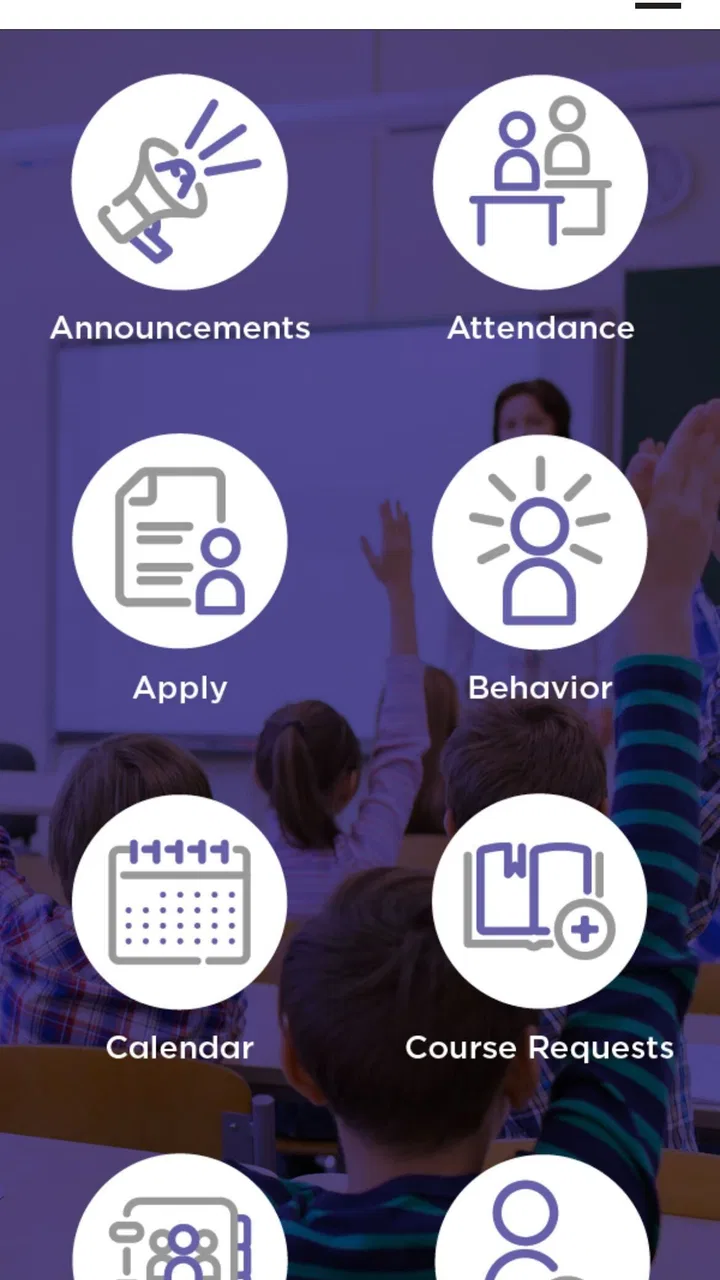
The FACTS Family App is designed to help parents and guardians stay connected with their child’s school community. Depending on the school’s setup, it may provide access to announcements, calendars, messages, grades, attendance information, assignments, forms, and other family-related resources. The exact features can vary, so users should confirm that their school or organization supports the app before downloading it.
02Do I need an account or invitation to use the FACTS Family App?
Yes, access generally requires an account connected to a participating school or educational organization. You may need login details provided by the school, or you may be asked to create an account using an email address already registered in the school’s system. Downloading the app alone does not guarantee access, and account permissions may depend on your role as a parent, guardian, or student.
03What information can parents view in the app?
The information available depends on the services activated by the school and the permissions assigned to your account. In many cases, families can view school communications, student schedules, attendance records, academic information, tuition or billing details, event dates, and digital forms. Some schools may enable only a limited selection of these tools, so the app’s content can differ considerably between institutions.
04Is the FACTS Family App free to download and use?
The app is typically available to download without an upfront charge, but some school services accessed through it may involve separate fees or payment requirements. For example, tuition management, activities, meals, or other school-related services may have their own costs. Before relying on the app, check your school’s instructions and review any applicable charges, payment policies, or optional services.
05What should I do if I cannot log in or do not see my child’s information?
First, verify that you are using the email address and password associated with your school account, then check your internet connection and update the app if necessary. If your child, school, or available features are missing, the account may not be correctly linked or the school may not have enabled that service. In those cases, contact the school office or FACTS support rather than creating multiple accounts.
Pros
- Simple interface makes it easy for children and parents to navigate.
- Supports family communication and shared activities in one place.
- Helpful reminders can keep everyone updated on important plans.
- Privacy-focused features may offer parents greater peace of mind.
- Useful for organizing routines
- tasks
- and family responsibilities.
Cons
- Some features may require a paid subscription or in-app purchases.
- Parents may need time to configure profiles and family settings.
- Children’s engagement can vary depending on age and interests.
- Notifications may become excessive if too many reminders are enabled.
- The app’s usefulness depends on every family member using it regularly.

FACTS Family App
Gallery